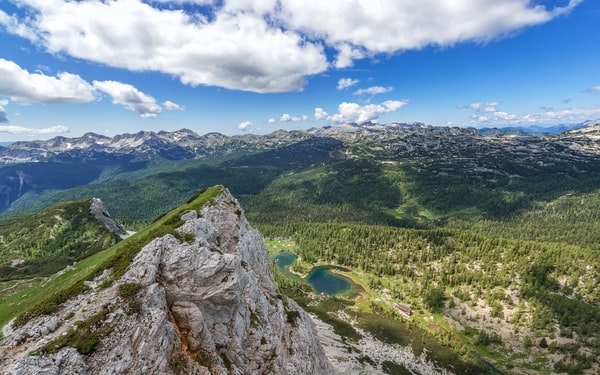
Working the Lines in your Photography

Comments Off

LinesWhen considering the composition of an image one of the elements that I suggest digital camera owners look for are ‘Lines’.

The lines that can be found in images are very powerful elements that with a little practice can add dynamic impact to a photograph in terms of mood as well as how they lead an image’s viewer into a photo.

Over the next few posts I’ll consider three types of lines, ‘horizontal’, ‘vertical’ and ‘diagonal’. Each one has a different impact upon a photograph and should be looked for as you frame your shots.

Learning how to use lines in photography doesn’t just happen. It takes time and practice to become good at it.

A good way to practice is to go back through older images that you’ve taken and look for

Shutter Release Technique

Comments Off

ShutterIn response to my weekly newsletter yesterday Harold (a subscriber) sent me an email raising a problem he had with using the continuous shooting mode that I wrote about yesterday. He wrote:

“Thanks for your tip on using the Continuous Shooting Darren. I use it on my DSLR regularly but have one problem – I always end up taking more shots than I want to. I put my finger down on the shutter button and before I know it I’ve taken a whole heap of shots. Any suggestions?”

Thanks for the question Harold – unfortunately there’s no easy answer to this problem except to use the old adage – ‘practice makes perfect’.

I know the problem you have because when I first discovered continuous shooting mode on my old film …

How to Use Continuous Shooting Mode on a Digital Camera

Comments Off

Have you discovered the continuous shooting mode (or burst mode) on your digital camera? Most cameras these days have them and if you get in the habit of using it the results can be quite wonderful.
Continuous Shooting

The above sequence was taken by a Flickr photographer by the name of diyosa on her Nikon D50 DSLR which shoots at up to 2.5 frames per second (this sounds a lot but in the scheme of DSLRs its on the lesser end. For example my Canon 20D shoots at 5 frames per second). That means if she activates this mode and then holds her finger down on the shutter she can shoot five shots like the above ones in just two seconds.

In actual fact she took these shots over a longer period (just under a minute) but it illustrates the effectiveness of shooting lots of shots quickly as it’s produced a beautiful series of shots that would look wonderful framed together like this or even in a photo album on the same page.

Continuous shooting Mode isn’t just something that DSLRs have – most point and shoot cameras have it as an option also.

It’s a particularly useful mode for taking shots of any situation where there is movement. Obviously photographing children is one such situation but there are many others including the photography of sport, animals, and even in portrait photography.

When I’m doing a portrait sitting I quite often use continuous shooting mode simply because I find that subjects often relax and look most natural after the first shot that you take and when they lose the ‘posed’ face. Of course the beauty of shooting in a digital format is that even if the second, third and forth frames that you take are not as good as the first – you can just delete them afterwards with no cost associated.

Using Continuous Shooting Mode
It’s worth noting a few things to keep in mind when using this burst mode:

Using Fill Flash

Comments Off

I was chatting with a new digital camera owner on the weekend about their camera and they were telling me about how they didn’t think they’d ever use anything but fully automatic mode on their great new Canon DSLR.

They told me that ‘auto’ mode would produce the perfect shot in every scenario – so why would they ever need to use anything else.

I asked them to show me some of the shots that they’d taken on their camera and they allowed me to flick through some shots until I came to this one:

Fill Flash-3

It was taken at a wedding that they attended where the bride, groom and celebrant (I was actually the celebrant – like my pink tie?) were positioned in a fairly dark gothic-like hall in front of a number of large windows.

The Problem
The problem with the shots was that there was so much light coming in the windows that the super little camera that my friend was using in Auto mode thought that the scene had enough light. As a result the window and what you can see through it is reasonably well exposed – but the main subject matter of the picture (the happy couple) are well under exposed. Some of the other shots taken this day were much worse and had the bride and groom as silhouettes.

Obviously the issue with this shot is that there is just not enough light from the front of the subjects to light up the subject with the shutter speed being used.

The Solution
There are a number of possible solutions to this problem but one of the easiest is to override the camera and force it to shoot with a flash – a technique often called ‘fill flash’. Fill Flash is used to supplement existing light in a scene – it’s generally not the primary light source (as a flash often is at night) but fills in light where natural light doesn’t go.

Photographing the Smaller things in Life when You Travel

Comments Off

StatueAn observations of fellow travelers that I made on my last trip was that most of them seemed to focus on the ‘big picture’.

When the bus would pull up at a tourist destination they always seemed to step as far back from the scene before them in an attempt to fit as much as possible into the shot. This happened whether the scene was a landscape, a building or almost any other subject.

The results of their strategy was that they ended up with lots of great pictures of distant things.

One of the aspects of travel that I enjoy to photograph the most is the ‘little things’.

While I do enjoy the beauty and challenge of capturing the grandness of the massive architectural structures that seem to be a magnet to tourists I’m aware that much of the beauty of architecture is often in the details.

A prime example of this are the many cathedrals that we saw in Europe on our last trip. They obviously have a sense of awe and mystery associated with them as a result of their size but take a closer look and a photographic wonderland reveals itself ranging from fine details in stain-glass windows, to the amazing faces of gargoyles, to tomb stones with interesting inscriptions, to the pattern of tiles in mosaics, to wrought iron door knockers and fittings to the detail in statues, crucifixes and paintings.

Similarly the details of many other types of buildings and structures reveal other small details that make them what they are and that often say a lot about the region you’re traveling in.

Page 202 of 207« First...«200201202203204»...Last »

What’s Your Preference?

Daily Digest

Each day we send out a quick email to thousands of DPS readers to notify them of updates. This email is just short excerpt of the first few lines of our latest post with a link if you want to read it all. You can unsubscribe from this this service at any time.

This service is provided by a third party (Feedburner) and you can subscribe to it by leaving your email address in the following field and confirming your subscription when you get an email asking you to do so.

Enter your email address for
Daily Updates:

Weekly Summary

For those wanting a weekly summary of what happens on this site this free email newsletter is probably your best option. It includes a summary of the tips posted to the site each week. This newsletter is subscribed to by over 25000 readers (many who also subscribe to the other options above) - come join the community!

To subscribe to this weekly newsletter simply add your email address to the following field and then follow the confirmation prompts. You will be able to unsubscribe at any time.

Enter your email address for
Free Weekly Newsletter: