Fixing Animal Eyes in Lightroom
Often when I look at the photographs that I’ve taken at the zoo, for example, the animals’ eyes are underexposed and lifeless.
To fix animals’ eyes in Lightroom so that they look compelling and still realistic, here is my fixing “animals eyes” workflow:
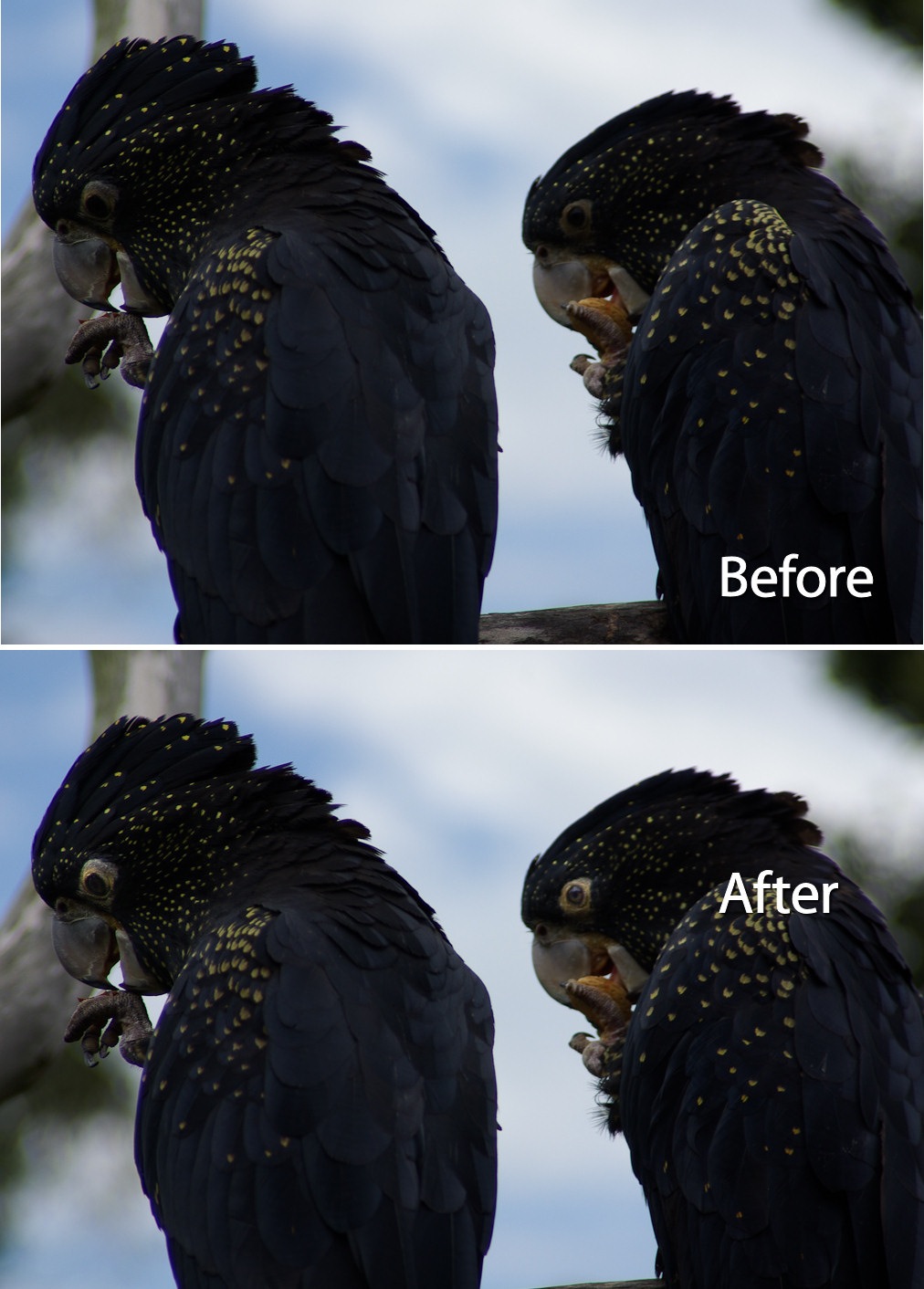
Step 1
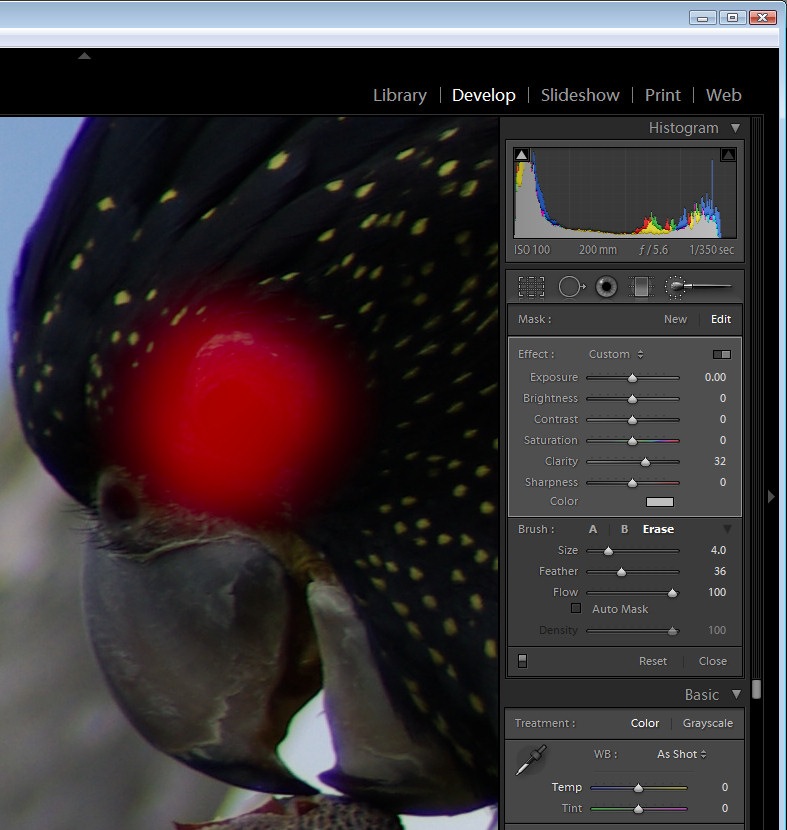
Display the image in the develop module in Lightroom. Zoom in using the zoom tools so that you can see the area that you’re working in very clearly.
Click the Adjustment Brush in the top of the Develop module panel and size the brush so that it is the right size to work on the animal’s eye. Click once on the eye and then paint over the area that you want to affect. If you can’t see your paint and want to see it, press the O button to enabled and disable the ruby overlay.
Step 2
Once you’ve painted over the eye, adjust the Exposure and Brightness upwards until you have a highly unrealistic and over fixed solution.
Adjust the Contrast so that you build some contrast back into that area of the eye – this actually darkens some of the areas you have just lightened.
Adjust the Saturation and Sharpness if required.
Step 3
If the effect is too strong around the edges of the eye, click Erase, set the Feather to a high value and paint around the edges of the selection to erase the effect.
Step 4
In this image, I tacked both eyes separately and I did both in two steps. The first fix solved the overall eye problem including the surrounds and then I repeated the process this time focusing only on the pupils to ensure that there was good contrast where the pupil would be expected to have caught the light.
Here you can see the result when steps 1-3 were performed in Lightroom on the lion’s eyes.
Tags: animals, Eyes, Lightroom, Lightroom 2.0, Post Production Tips, post-processing


6 Responses to “Fixing Animal Eyes in Lightroom” - Add Yours
July 6th, 2009 at 9:48 am
A sugestion, if anyone knows: I’d like to see some corrections in cats and dogs eyes, because they sometimes get light-blue/yellow… and no red-eyes works (of course)… it’s very dificult to correct it in photoshop!
July 6th, 2009 at 6:03 pm
Great post, i use this workflow quiet often. work very well in raw.
July 6th, 2009 at 10:37 pm
Yet another good one Helen. Thanks again :-))
July 6th, 2009 at 11:14 pm
Would anyone be willing to explain how to fix dogs eyes in pictures?
July 8th, 2009 at 7:40 pm
A great little “How To”, thank you! Was just wondering yesterday about how process one of my bird photographs.
July 12th, 2009 at 8:09 pm
Nice post – it’s not a million miles away from what I do (with Pixelmator – I’ve not graduated up from iPhoto to Aperture/Lightroom) to correct eyes in photos of my parent’s dog, such as this one, where the flash had completely wiped out her eyes.
Leave a Reply
